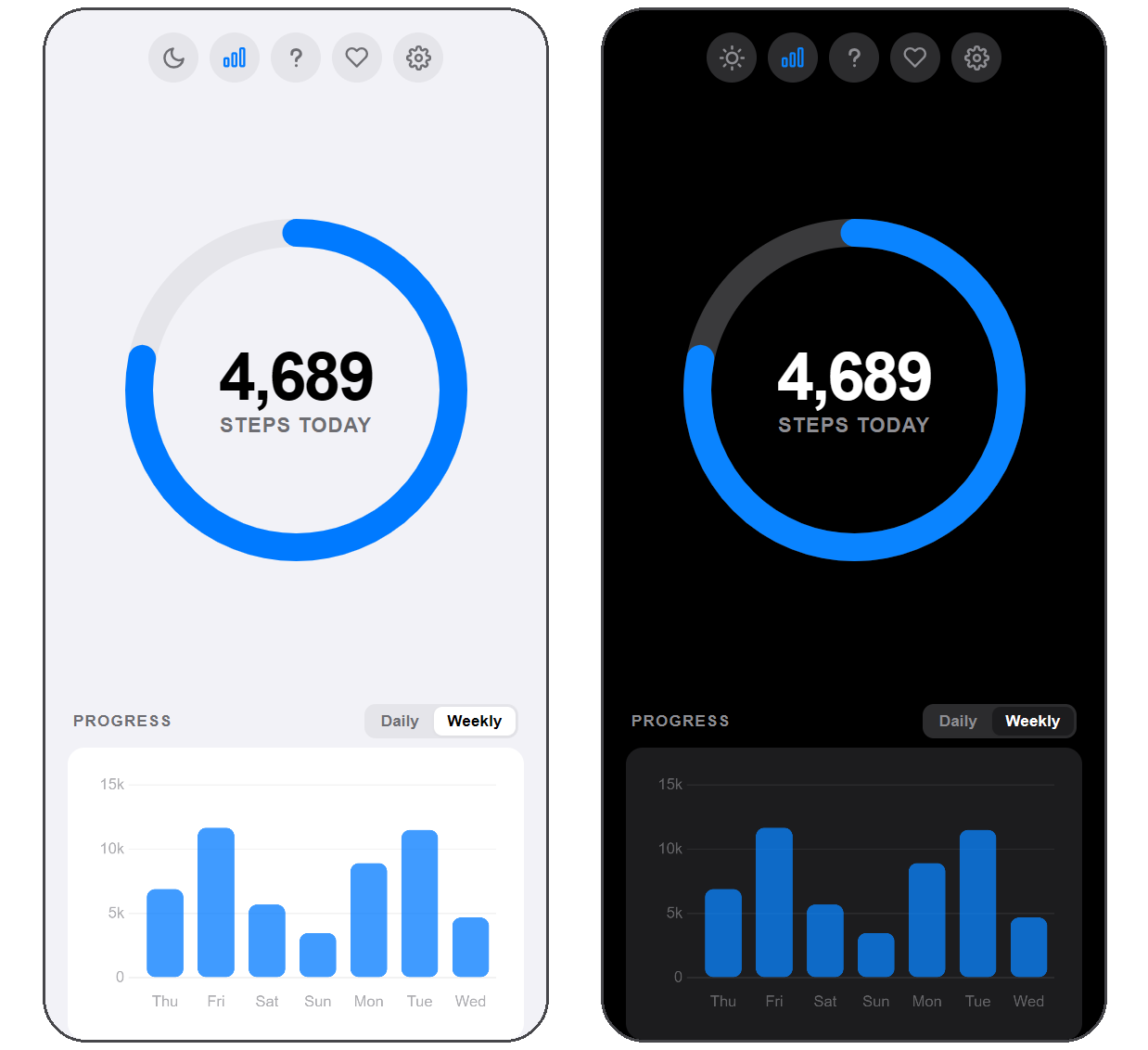
The parts you touch every day — charts, colors, settings, and a way to carry your history with you
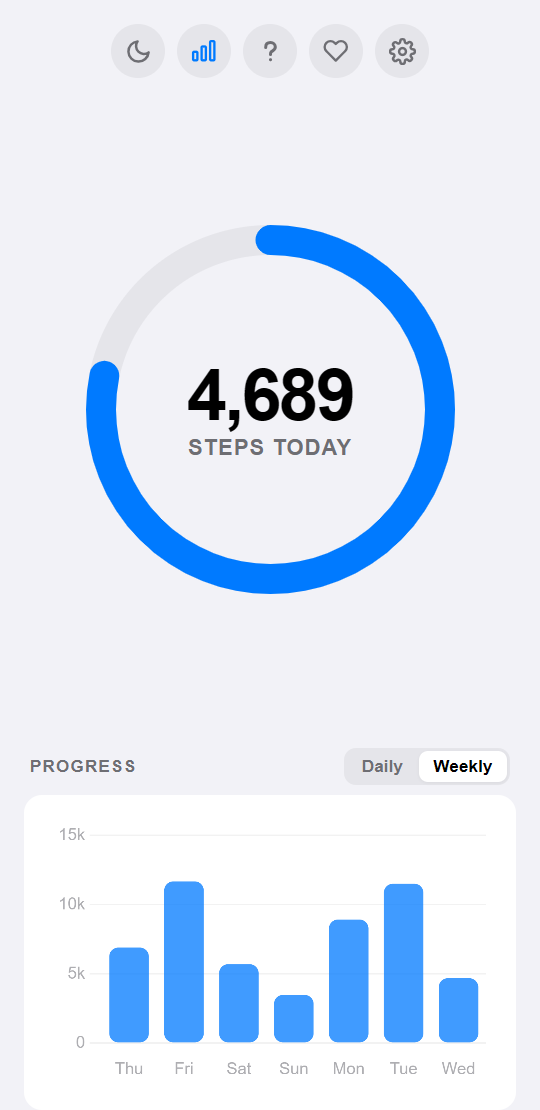
Daily breaks your steps down hour by hour; Weekly lines up the last seven days so you can see the shape of your week.
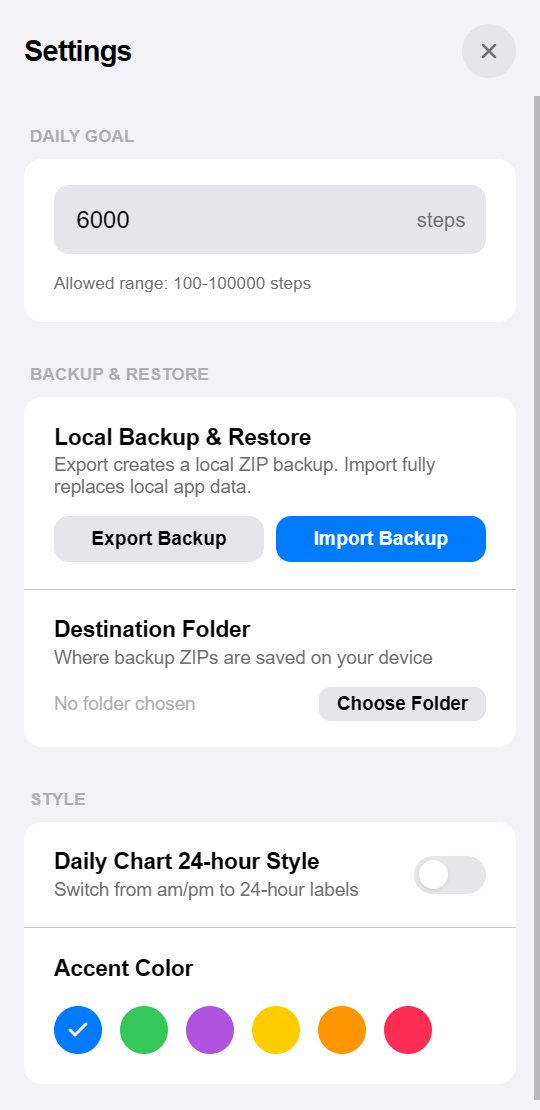
Set a goal anywhere from 100 to 100,000 steps, pick one of seven accent colors, and export a backup to a folder you choose.
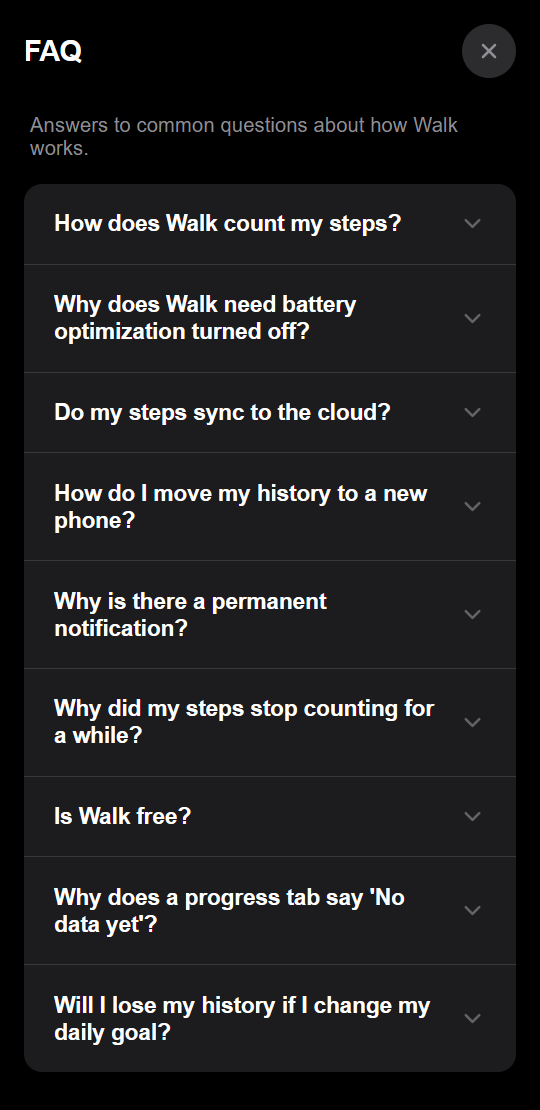
Every question about background counting, battery, and backups is answered inside the app — no searching required.
Switch themes whenever you like — the status and navigation bars follow along, so nothing glares at night.
A step counter with the parts that matter and none of the parts that don't
The same answers you will find inside the app
Your phone has a step sensor that the app reads. Counting carries on in the background, so you can close the app and still watch your day add up.
To save power, Android puts background apps to sleep, and a sleeping app can't count your steps. Turning battery optimization off for Walk is what keeps your day accurate — it only listens to a sensor your phone is already running, so it stays light on battery.
No. Your steps never leave your phone — there's no account and nothing is uploaded. If you'd like a copy of your history, you can save a backup file from Settings at any time.
In Settings, tap Export Backup to save a backup file. Copy it over to your new phone, install Walk there, and tap Import Backup — your history, goal, and accent color all come with it.
Android asks every app that keeps working in the background to show one, so you always know what's still running. It's set to the quietest level, so it makes no sound and stays tucked out of the way. If you'd rather not see it at all, turning off Walk's notifications hides it — your steps carry on counting either way.
Usually the phone just wasn't moving with you. Walk feels your steps through the phone itself, so it needs to be somewhere that swings or bounces as you walk — a pocket, your hand, a bag. Less often it's because Walk was force-stopped in your phone's settings or an app update restarted it: while it isn't running it can't see you walking.
Yes, all of it. There's nothing to buy, no ads, no account, and no locked features — everything you can see is yours to use. If you'd like to chip in, there's a heart button at the top that opens a donation page in your browser, but it's entirely optional.
Both tabs are always there, and they fill up as your history grows. Daily starts with your first steps today, and Weekly once you have a full day behind you.
No. Your goal only changes what you're aiming for from today onward — past days keep exactly the steps they always had. Change it as often as you like.
Have a question or something to report? Write directly. And if you'd like Walk to keep getting better, you can chip in — it stays free either way.